![become1_Logo_black.png]](https://help.become1.de/hs-fs/hubfs/become1_Logo_black.png?width=100&height=33&name=become1_Logo_black.png)
- As an employee, click on become.1 Card in the menu bar
Important:
- Deine Your mobile phone number (with internet capability) is important, as a confirmation link will be sent to it, which you must confirm in the next step.
2. Confirm your personal information and select your postal code region
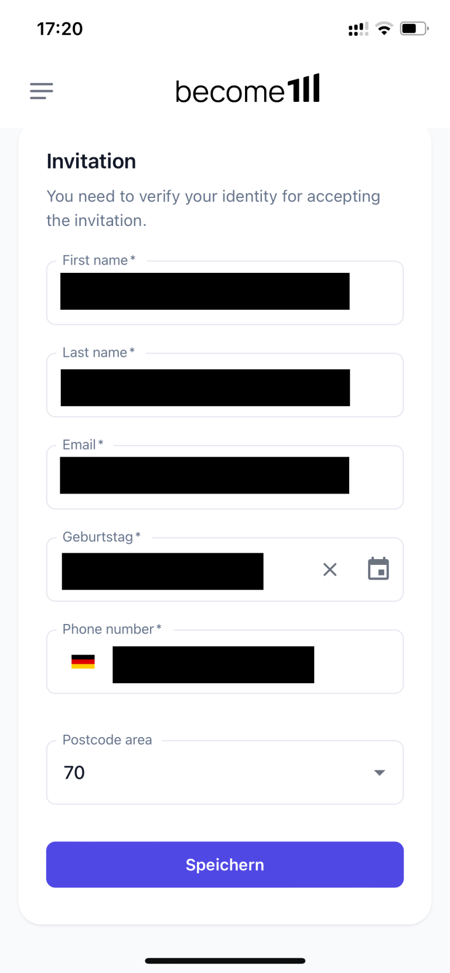
Here you can see how you can select a postal code and which region you should choose for yourself - you cannot change this after selection!
- After you have entered all information and clicked Save, you will receive a confirmation SMS to your stored mobile phone number
- Click on the link in the SMS
- Confirm the numerical code sent in a second SMS
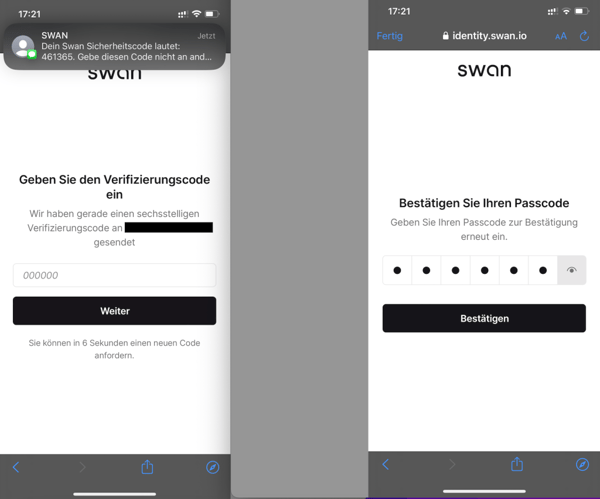
Success: Your become.1 Card is now activated and will be confirmed by your HR department - after which you can use it! Further information on using the become.1 benefit card can be found HERE.