![become1_Logo_black.png]](https://help.become1.de/hs-fs/hubfs/become1_Logo_black.png?width=100&height=33&name=become1_Logo_black.png)
Solution / Step-by-step guide:
IMPORTANT: You can only edit the address and billing details of your company if you have the corresponding admin rights.
Here is how you update your information:
- Open the Company Management (Unternehmensverwaltung) tab in the left side menu.
- Here you will find the fields for your company data. You now have the option to adjust the regular business address of your company.
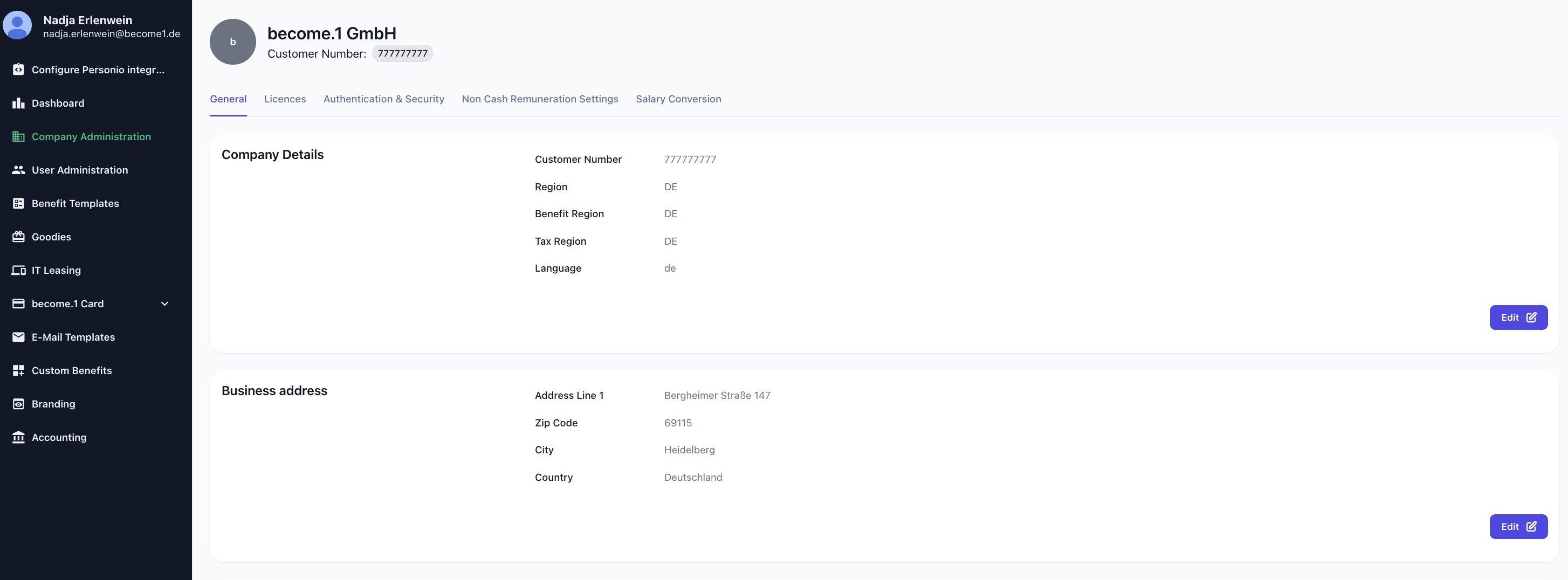
- If the address for invoicing differs from your regular business address, you can specifically change the separate billing address here as well.
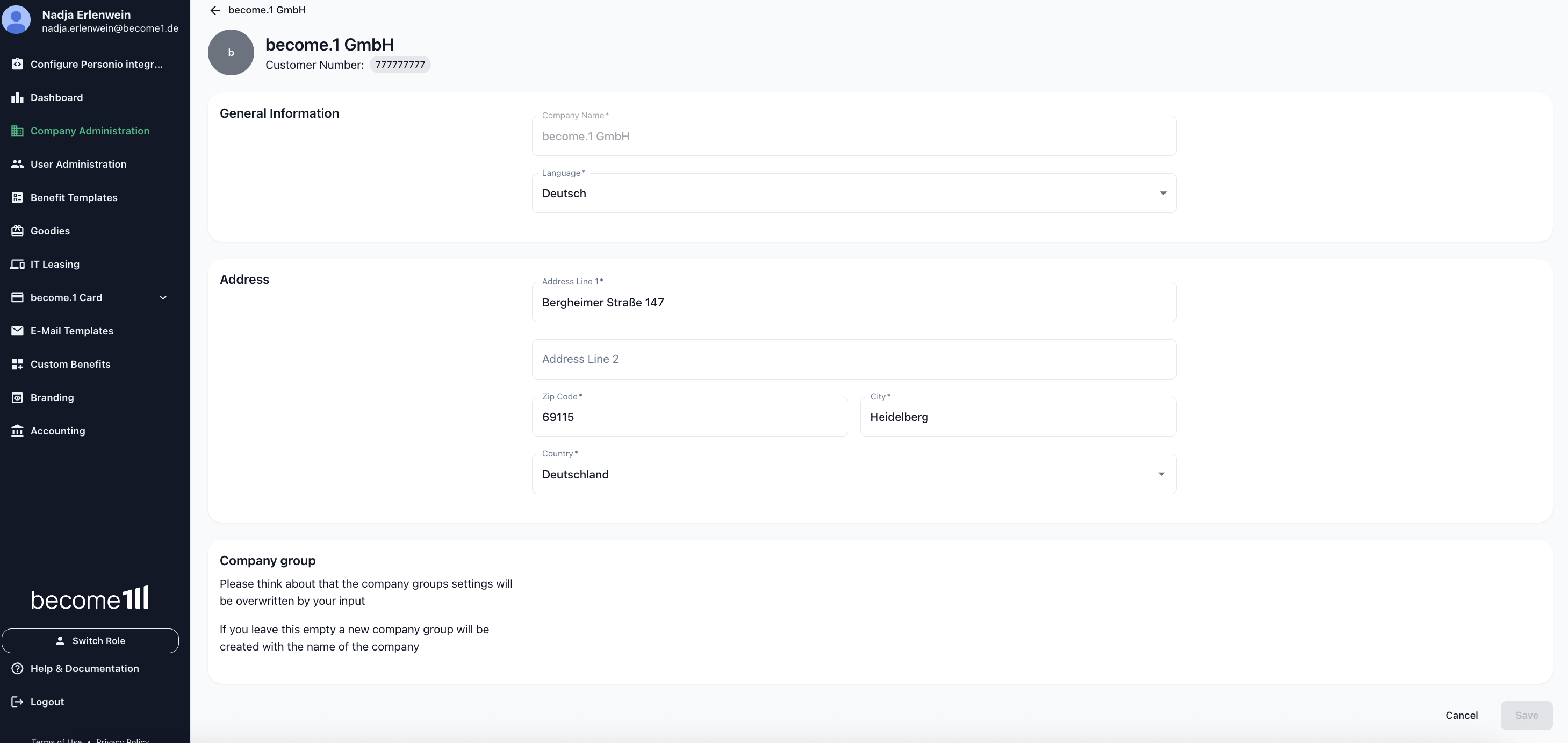
- Once you have entered all the new data, click the Save button to permanently apply your changes in the system.
Any questions?
If you're still having trouble following the instructions or if you have a special case, just send us a message at support@become1.de or message us via chat.
We're happy to help—we usually respond within 48 hours on weekdays.