![become1_Logo_black.png]](https://help.become1.de/hs-fs/hubfs/become1_Logo_black.png?width=100&height=33&name=become1_Logo_black.png)
🛠 Step-by-step guide
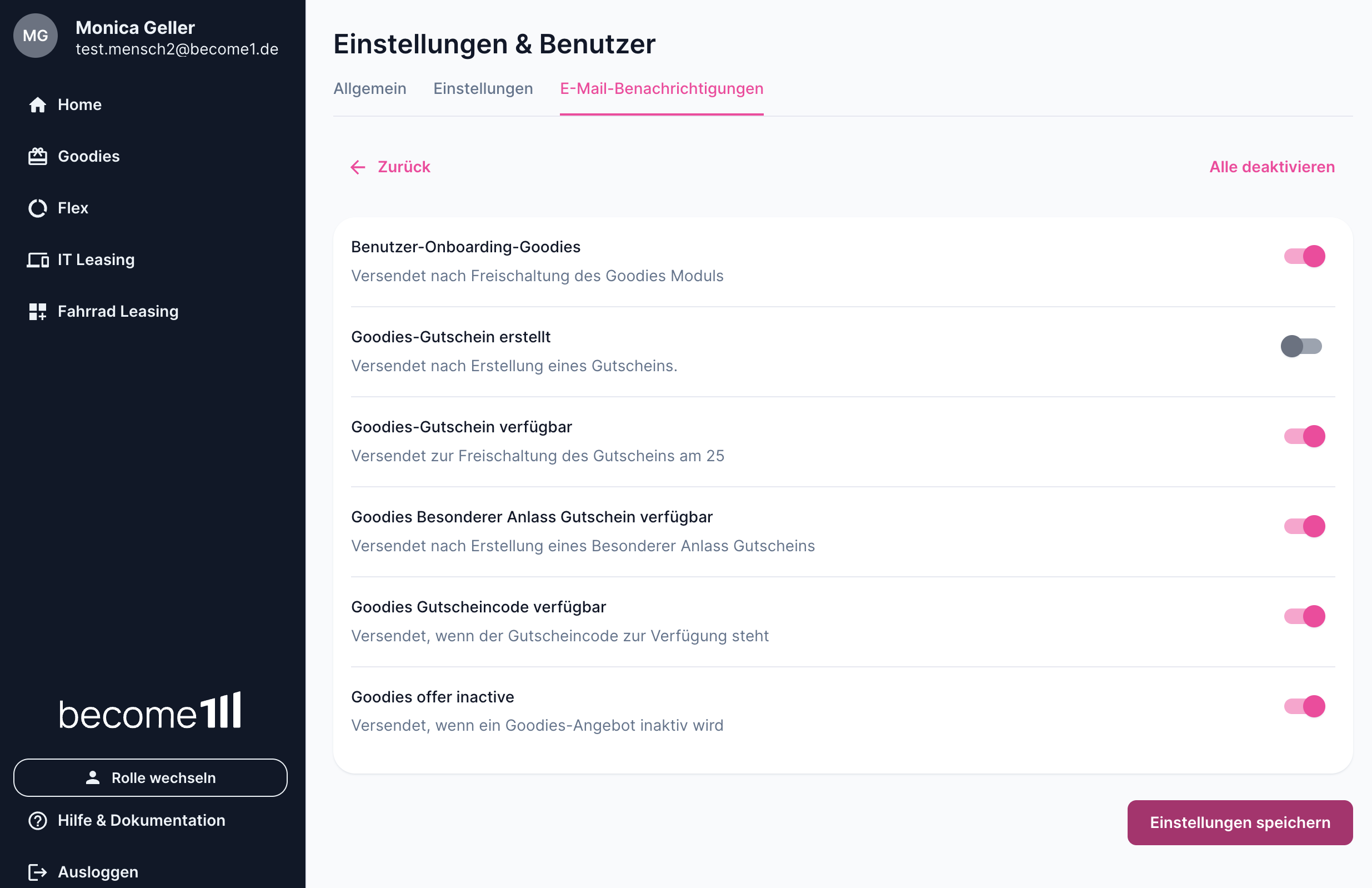
Follow these steps in your profile to change your email preferences:
- Log into the portal and click on your name in the top left corner to open your profile settings.
- Click on Email Notifications in the menu.
- Select the section you want to edit (for example, click on Vouchers).
- Move the toggle switches to the left or right, depending on which email notification you want to activate or deactivate.
- Click the Save selection button at the very bottom.
Done! Your settings are active immediately, and from now on, you will only receive the emails you actually want.
💡 Notes, tips & special cases
- Important system emails: Please note that you cannot turn off strictly technical or legal emails (such as security alerts, password resets, or legally required updates about your Card transactions). These are necessary to keep your account secure and functional.
- Changeable at any time: You can, of course, adjust these settings at any time if you decide you want to receive more or fewer notifications again.
📞 Still have questions?
If it doesn't work despite this guide, or if you have a special case, just send us a message at support@become1.de or write to us in the chat.
We are happy to help you – we usually get back to you within 48 hours on business days.