![become1_Logo_black.png]](https://help.become1.de/hs-fs/hubfs/become1_Logo_black.png?width=100&height=33&name=become1_Logo_black.png)
Solution / Step-by-step guide:
IMPORTANT: The button to switch the view is only visible to you if you have been assigned both employee and admin rights in the user management. If you only have one of the two roles, this option is not available.
Switching between the two portals is possible at any time with just one click. Here is how you do it:
- Log in to the become.1 platform as usual.
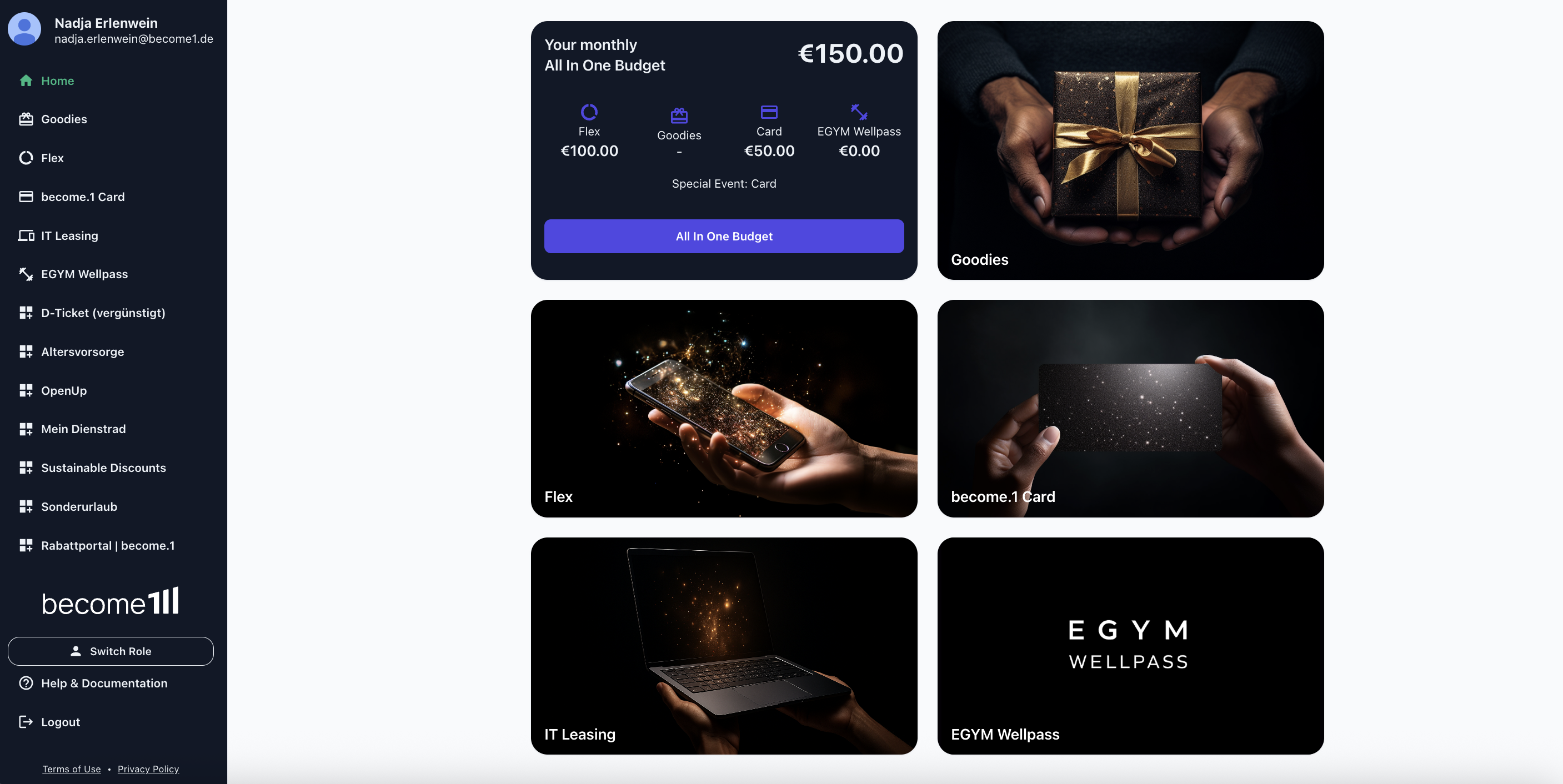
- Navigate to the very bottom of the left menu bar.
- Click on the Switch role button, which is the third item from the bottom (right above Help & Documentation and Log out).
- As soon as you click the button, the page will reload and you will find yourself in the other view (from the employee view to the admin view and vice versa).
Any questions?
If you're still having trouble following the instructions or if you have a special case, just send us a message at support@become1.de or message us via chat.
We're happy to help—we usually respond within 48 hours on weekdays.