![become1_Logo_black.png]](https://help.become1.de/hs-fs/hubfs/become1_Logo_black.png?width=100&height=33&name=become1_Logo_black.png)
-
As a become.1 Administrator, go to the "Benutzerverwaltung" (User Administration) tab.
-
There you will find all employee information such as used Email addresses, assigned Personnel number, or allocated Benefit budgets.
-
Check Registration Status: If only the Email address and no name are displayed in the "User" column for an employee, this employee has not yet registered.

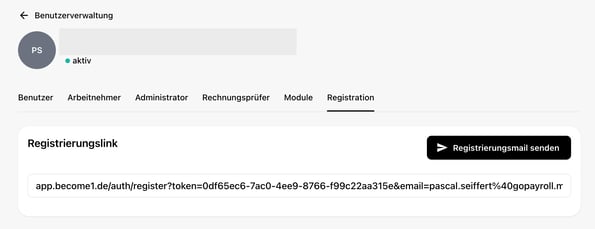
- You can resend a registration email to the employee (open the user, go to "registration") and thus invite them to become.1 again.
Notes, Tips & Special Cases
Indicator: The absence of the name in the "User" column is the direct indicator that registration is still pending.
No Further Questions? If it doesn't work despite the instructions or if you have a special case, simply send us a message via the contact form. We will be happy to help you – we usually respond within 48 hours on weekdays.
Last updated: 31.10.2025