![become1_Logo_black.png]](https://help.become1.de/hs-fs/hubfs/become1_Logo_black.png?width=100&height=33&name=become1_Logo_black.png)
How to receive your documents
We send all invoices and payment information collected directly to you via email at the beginning of each month (from the 2nd business day at the earliest). Downloading them via the app is not possible.
Overview of document types
You can immediately identify the type of transaction by the starting letter of the document number.
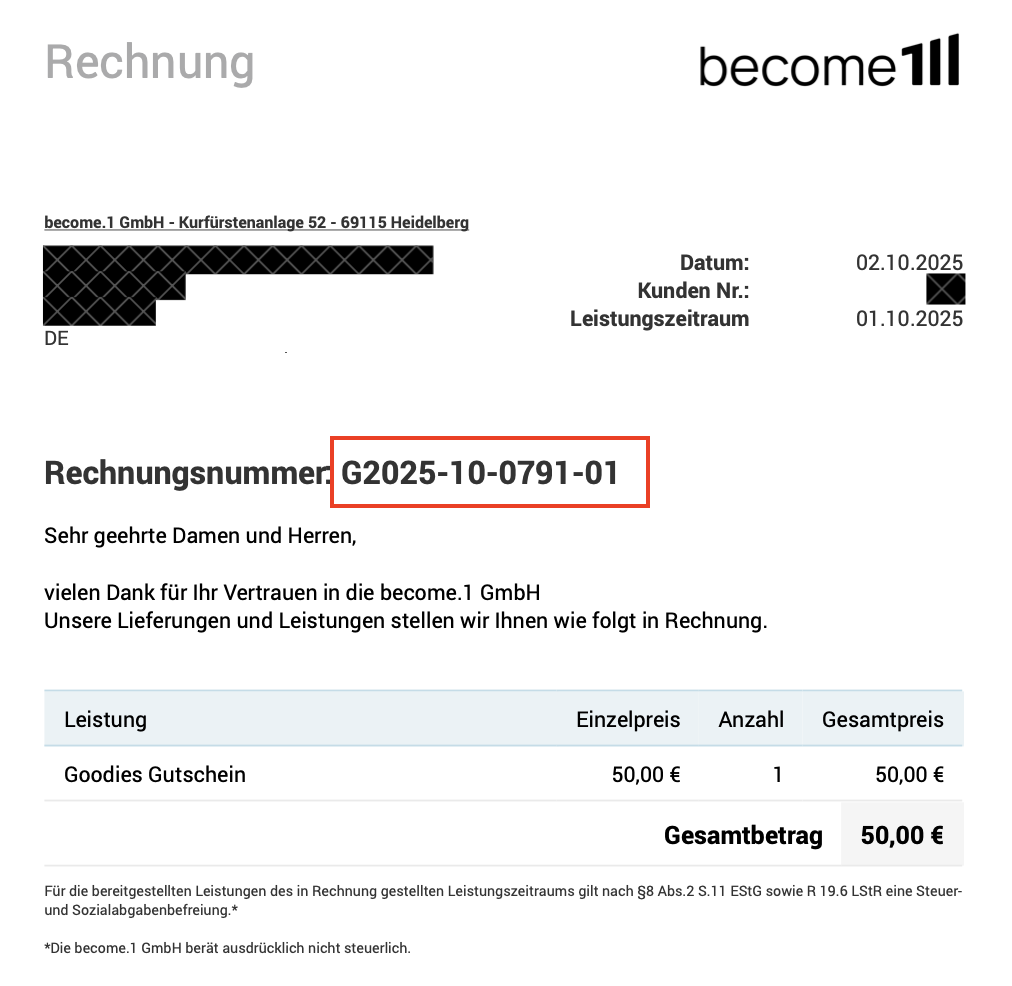
- G – Vouchers: Invoice for processed vouchers. Contains an attachment with the exact allocation per employee, cost center, or employee ID.
- K – License Invoice: Invoice for the monthly fee of your license (without attachment). This charges all active employee licenses with the employment status "active" and "paused".
- C – Card Invoice: Invoice for fees related to physical cards or custom logo branding. Contains order details in the attachment.
- Z – Payment Information: Not an invoice! This serves as an overview of the prepaid card top-ups with allocation per employee.
The difference between an invoice and payment information
To avoid double payments, please strictly distinguish between documents that require a payment request and those that do not:
- Documents with a payment request (G, K, C): You must actively pay these amounts via bank transfer. We do not hold a SEPA mandate for these specific invoices.
- Payment Information (Z): Please do not transfer any money! This document is solely for your internal accounting and documentation.
⚠️ IMPORTANT: We already collect the amounts for the card budgets shown on the Z-document (e.g., €50 benefit) from your reference account via the SEPA mandate of our partner bank SWAN. You do not need to take any action here.
Abbreviations for corrections and cancellations
If we need to adjust a billing statement retroactively, you will find an additional prefix in front of the regular document number abbreviation:
- STG... (Cancellation / Storno): Renders an unpaid original invoice completely invalid.
- RKG... (Invoice Correction): Corrects an unpaid original invoice.
- GSG… (Credit Note): Represents a credit note for your use.
⚠️ IMPORTANT: If you receive an invoice correction (RKG), please always transfer only the amount stated on the correction for the balance settlement, and never the amount of the initial original invoice. This prevents any overpayments or underpayments.
Still have questions about your invoices?
Don't worry, we are here to help! Please send us a short message explaining your issue or question (ideally including the invoice number) to billing@become1.de.